
Manage AI Features for Your Account
Open your profile menu, select Account details, and scroll to AI features. Everyone in the account can see these settings. Only an account owner or administrator can change them.
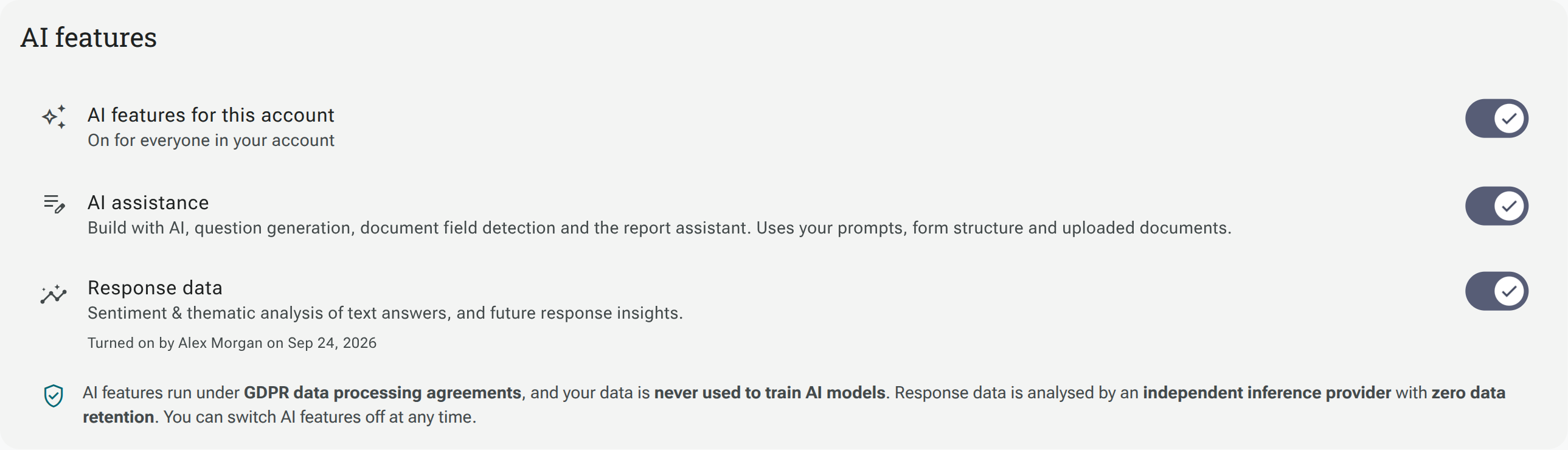
The screenshot shows an account where all three switches are already on. Your account’s settings may differ.
AI features for this account
Section titled “AI features for this account”This is the main switch for everyone in your account. Switch it off to stop the account’s AI features. Switch it on to make the individually enabled features available again.
AI assistance
Section titled “AI assistance”AI assistance covers Build with AI, question generation, document field detection and the report assistant. These features use your prompts, form structure and uploaded documents. AI assistance is on by default.
Turning off AI assistance leaves the separate Response data setting available while the main account switch is on.
Response data
Section titled “Response data”Response data controls AI analysis of answers, including sentiment and thematic analysis of text answers. It is off by default.
When an owner or administrator switches it on, Shout asks them to acknowledge the response-data terms before enabling it for everyone in the account. Select Turn on to accept or Not now to leave it off. Once enabled, the section shows who turned it on and when. You can switch it off again here.
A Workspace can also have AI disabled. Enabling AI at account level does not override a Workspace’s AI restriction.
See Account details for the other account settings.