
How to Set a Password for your Project
You can require respondents to enter a password before they can start your quiz, form or survey.
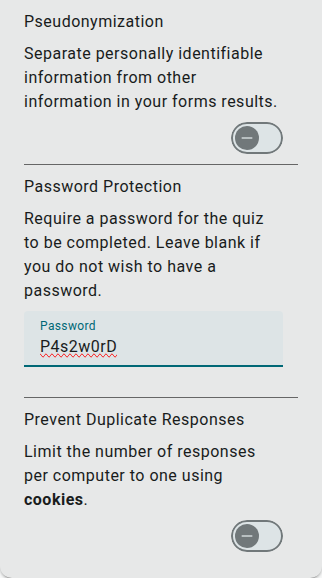
- Go to the Build section of your project
- Select the Settings tab above the builder panel
- Expand the Privacy & Security section
- Enter a password in the Password Protection field
Note: If you leave this box blank, then no password will be set.
Once you’ve set a password, whenever respondents try to access your project they’ll be asked to enter it before they can view the first page.
Removing a Password
Section titled “Removing a Password”To remove a password you’ve set, simply delete the text from the Password Protection field.