
Why is My Question Locked?
If a question has collected at least one response, a lock icon appears in its toolbar in the builder. Clicking it shows a message confirming the question is locked because responses have been collected:
The lock can appear on any question that has collected answers, including Opinion Scale and Star Rating. Which structural edits are restricted depends on the question type.
Questions are locked once they’ve collected responses for two reasons:
Response Consistency: Changing question wording or answers whilst a project is live may incur differing answer selections from your respondents. Those who selected answers before the change may have chosen something completely different if the question/answers had originally been written that way, and vice versa.
Protecting your Results: You can still make cosmetic edits — modifying the question text, images, or certain settings. However, the following changes are not allowed while the question has responses:
- Adding options
- Deleting options
- Changing the order of options
- Some settings
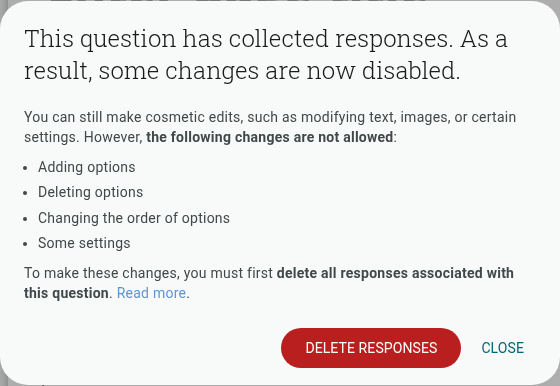
To make these changes, you must first delete all responses associated with that question. You can do this from the lock message itself using the ‘Delete responses’ button — note this action cannot be undone.
Read more about the changes you can make to a live project.