
Show or hide sections in a signing form
In form plus document mode, conditional display lets you show or hide the form questions and sections that collect details for your document. For example, an application can ask for company details only when someone chooses Applying as a company.
Add a conditional section
Section titled “Add a conditional section”- Add a choice question before the section, such as Are you applying as an individual or a company?
- Put the company questions in their own section before the document.
- Open the section’s ⋮ menu and select Display conditions.
- Choose Show, select the earlier question, and choose the answer that should show the section.
- Preview the form and try both answers to check that the section appears and disappears correctly.
You can apply the same approach to individual questions. Use Hide when it is easier to express the rule as the answer that should hide the target. For multiple rules, choose whether to match all or any conditions.
Example: optional design support
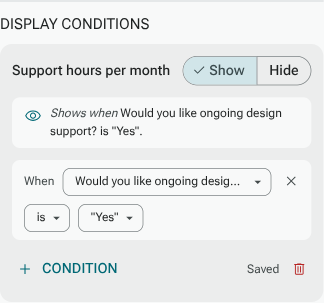
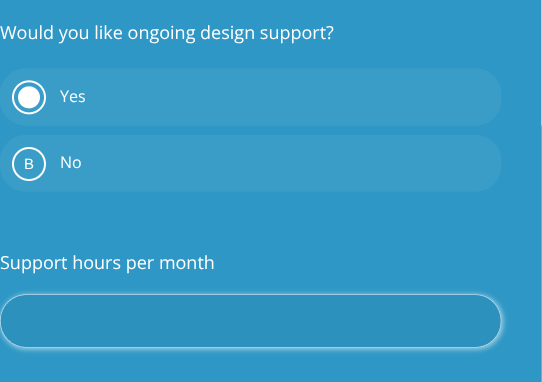
Section titled “Example: optional design support”In the Northstar Studio agreement, Would you like ongoing design support? comes before Support hours per month. The hours question has a Show condition that matches Yes.
When the person chooses Yes, the hours field appears:
When they choose No, the hours field is hidden:
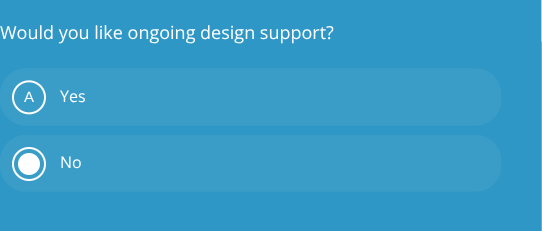
This example hides one follow-up question within the Optional support section. To make an entire section conditional, apply the condition to that section’s page instead, subject to the restrictions below.
What happens to document answers
Section titled “What happens to document answers”Questions before the document can fill mapped boxes on the PDF. A question hidden by a display condition may have no answer to place on it. Check those mappings and, where appropriate, use Show a dash if the question was hidden in the field settings.
Display conditions control the form questions and section pages. They do not remove printed clauses or other content from the original PDF. Review the filled PDF using every relevant answer path before sharing your form.
Important limits
Section titled “Important limits”- Display logic must be included in your plan.
- A question’s source must be earlier in the form. A section page must use a source on an earlier page.
- Protected signing and other required workflow items cannot be made conditional. Put optional questions on a separate section before the document.
- If an earlier answer changes and a follow-up becomes hidden, its previous answer is cleared.
See Conditional display for supported source questions, operators and page restrictions.