
How to Randomize the Answer Order
By default, answers will appear in the order you wrote them. Randomizing your answer order will decrease any chance of order bias, and will improve the quality of your results. Having a random answer order will reduce bias in your project.
You can access this feature through the Question Settings Bar.
Applying Answer Randomization
Section titled “Applying Answer Randomization”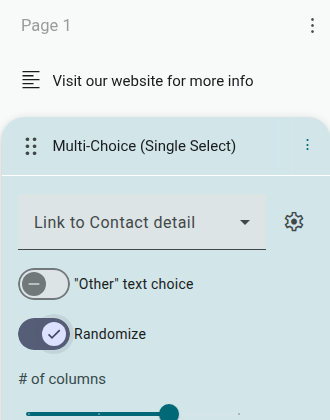
- Go to the Builder
- Click a question
- In the Question Settings Bar, click ‘Show more settings’
- Enable the switch for ‘Randomize’
The answer options will now be randomized for respondents.
Removing Answer Randomization
Section titled “Removing Answer Randomization”- Go to the Builder
- Click a question
- Click ‘Show more settings’ if the panel is collapsed
- Disable the switch ‘Randomize’ OFF