
How to Remove Question Numbering
Questions will be numbered automatically when inserted into your project. This feature can be disabled in two ways:
- For Individual Questions
- For All Questions
To Remove Question Numbering for One Question
Section titled “To Remove Question Numbering for One Question”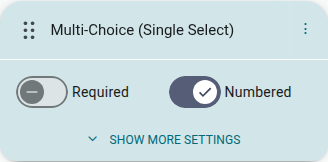
- Go to the Builder (Questions tab)
- Click a question in the sidebar to select it
- Disable the ‘Numbered’ switch
The above method will remove numbering for a singular question. You could go through your project and remove the number for each question in this way, or use the next method to remove all numbering.
To Remove Question Numbering for All Questions
Section titled “To Remove Question Numbering for All Questions”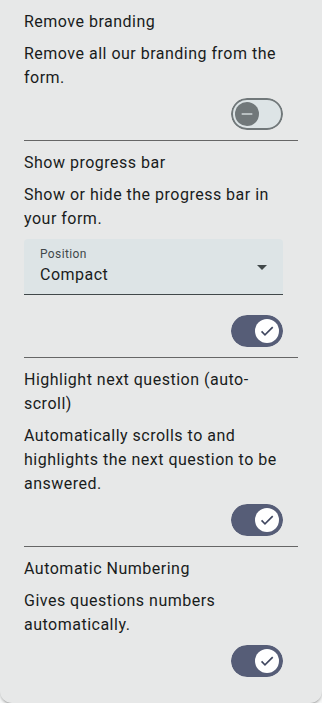
- Open Settings in the left sidebar of the builder
- Expand the ‘Appearance’ section
- Disable ‘Automatic Numbering’
This will remove the numbering for all questions, but you can enable numbering for singular questions by re-enabling its ‘Numbered’ switch when the question is selected.
Note: Automatic numbering is enabled by default for all surveys, quizzes, and forms.