
Limit the Number of Answers a Respondent can Select
Most Question Types only allow respondents to select one answer option. However, both the Multi-Choice (Single Select) OR (Multi-Select) and Picture Choice types can be optimized for multiple answer selection.
To edit the number of answers a respondent can select
Section titled “To edit the number of answers a respondent can select”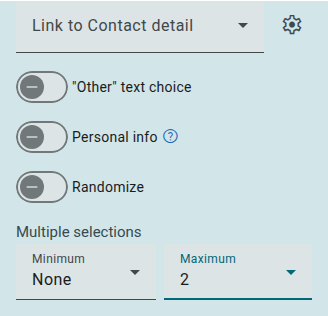
- Insert a Multi-Choice (Single Select or Multi Select) or Picture Choice question type
- Click the question to open its settings panel in the Questions tab
- Click Show more settings
- Under Multiple selections, open the Minimum and/or Maximum drop-downs
- Select a number in either/ both lists
These numbers represent the number of answers a respondent will be able to/ will have to choose.