
Create your first Action
An Action connects an event in Shout to one or more steps in Shout or a connected app. For example, you can send a completed form response to a spreadsheet and then post a message to a team channel.
How do I create an Action?
Section titled “How do I create an Action?”- Go to Actions in the main navigation.
- Click New action.
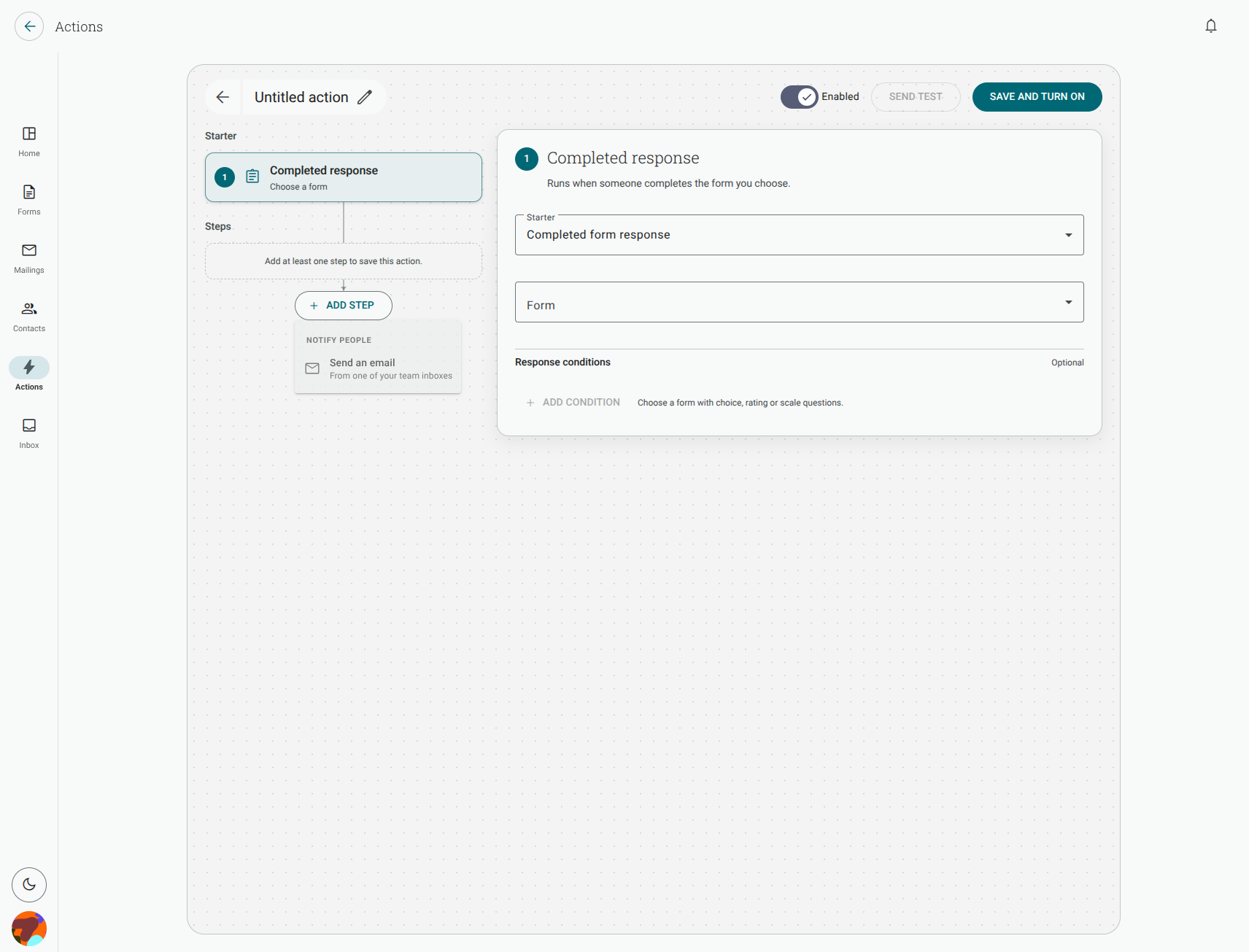
- Choose a starter. For a form integration, choose New response.
- In the editor, choose the form that should start the Action.
- Add one or more steps. Choose the outcome first, such as Add a row or Send a message, then choose the app and connection for that step.
- Complete the step’s fields and mappings.
- Click Save and turn on.
The Action is ready when the editor shows it as Enabled. A saved Action that is not enabled is not triggered by new responses.
Does one Action work for several forms?
Section titled “Does one Action work for several forms?”No. A form-response Action is attached to the one form selected in its Form field. Create a separate Action for each form that should use the same steps. You can reuse the same connected app connection in those Actions if you have access to it.
Contact-created and ticket Actions use their own starters instead of a form. See choose a starter and add conditions for the events available to those Actions.
Why is my Action not running?
Section titled “Why is my Action not running?”Check these first:
- The Action is Enabled. A draft or a paused Action does not run.
- The correct form is selected in the Form field.
- The response is completed. Partial and abandoned responses do not start a form-response Action.
- Every step is complete and its connected app still has access to the destination.
- Conditions, if you added them, match the response.
Open Actions and check the Action’s Latest run status for more detail.
How do I turn an Action off without deleting it?
Section titled “How do I turn an Action off without deleting it?”Open the Action, switch Enabled off, and save the change. This pauses future runs while keeping the starter, steps, conditions and mappings in place. Turn the switch on again when you want the Action to run.
Can I copy an Action to another form?
Section titled “Can I copy an Action to another form?”There is no Copy control in the current Actions menu. To use the same setup on another form, create a new Action, select the other form, and add its steps again. The connected app connection can be reused when it is available to that form’s workspace.