
Receive Email Notifications for Responses
You can enable ‘Email Notifications’ in the settings for your project, in order to receive an email every time there is a response to your project.
Enabling Email Notifications
Section titled “Enabling Email Notifications”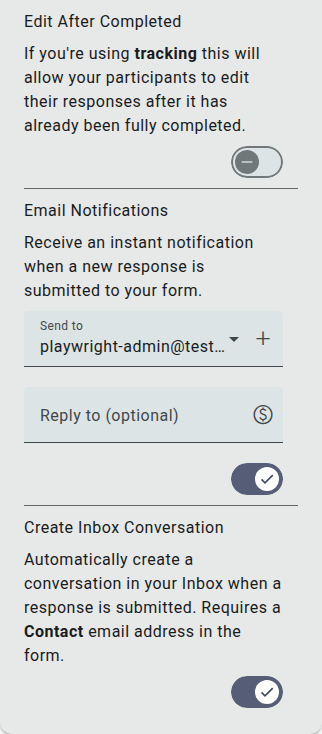
- Go to the Build section of your project
- Click Settings in the left sidebar of the builder
- Expand the Completion & Notifications section
- Switch on Email Notifications
Once enabled, you can choose who the notification is sent to:
- Send to: defaults to your own account email address. Use the + button to add further recipients.
- Reply to (optional): set a reply-to address for the notification email.