
Import sources and limits
The source choices depend on the connected app. Start an import from Contacts → Add contacts → Import from an app, choose the app, and then choose the source that connection can read.
Which apps can provide contacts?
Section titled “Which apps can provide contacts?”The current importer has two source types:
| Source type | Providers in this release | What you choose |
|---|---|---|
| Table, worksheet, list or database | Databricks; Dynamics 365 Business Central; Dynamics 365 Business Central (on-premises); Dynamics 365 Customer Insights; Dynamics NAV; Excel Online (Business); Fin & Ops Apps (Dynamics 365); Google Sheets; Informix; Salesforce; SharePoint; Snowflake; SQL Server; UserVoice; Zendesk | A site, workbook, dataset, table or list, then its columns |
| Dedicated contact or subscriber reader | ActiveCampaign; ConvertKit; HubSpot; Mailchimp; Salesforce; Zendesk | A list, audience, form, sequence, tag, or account-wide contact/user source |
Salesforce and Zendesk appear in both groups because the importer exposes both their tabular interfaces and a dedicated reader. The list is the provider capability set in this release; the catalogue and the choices shown in your account take precedence if they change.
What sources does each provider expose?
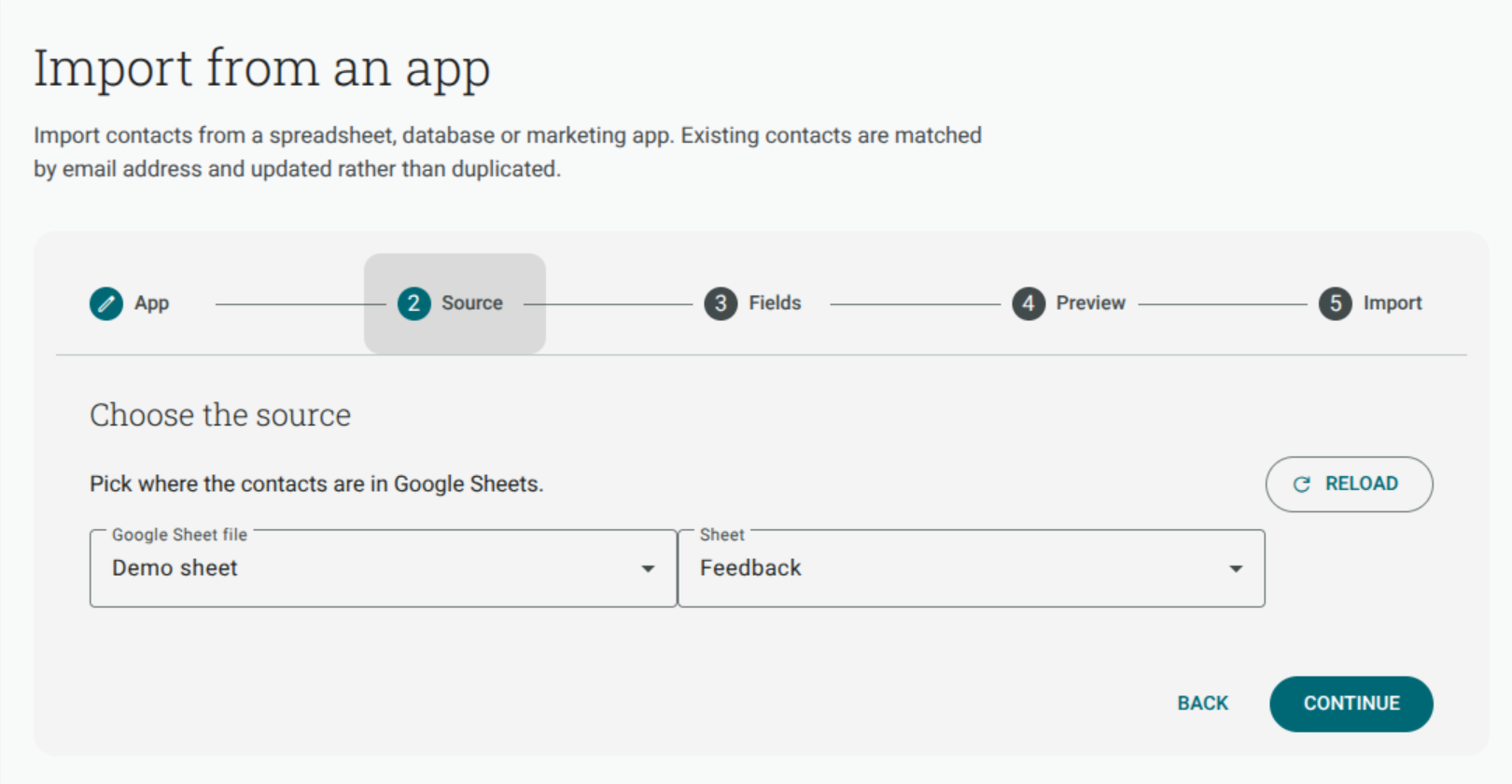
Section titled “What sources does each provider expose?”- Google Sheets — choose a spreadsheet and worksheet, then map the returned columns.
- Excel Online (Business) — choose the document location, library, folder and workbook table. Excel exposes tables, not arbitrary worksheets. Select the headings and data in Excel, choose Insert → Table with My table has headers, save the workbook, and reload it in Shout.
- Databricks, Dynamics 365 Business Central, Dynamics 365 Customer Insights, Dynamics NAV, Fin & Ops Apps (Dynamics 365), Informix, Snowflake and SQL Server — choose the available dataset and table, then map the table columns.
- SharePoint — choose the site and list, then map the columns returned by the list schema.
- UserVoice — choose the available table source and map its returned fields.
- ActiveCampaign — choose a list. The source reads active contacts on that list, including available custom fields and tags.
- ConvertKit — choose all active subscribers, or active subscribers to a form, sequence or tag. The all-subscribers source includes subscriber custom fields; the scoped sources expose the fields returned by that source.
- HubSpot — the importer reads all contacts and the standard contact properties exposed by the source. HubSpot custom properties are not available in this importer.
- Mailchimp — choose an audience. The importer reads subscribed members and can expose the audience’s merge fields.
- Salesforce — choose a table source, All contacts, or All leads. The dedicated sources read page by page and expose standard fields; source fields available in the returned data can be offered for mapping.
- Zendesk — choose a table source or All users. The user source reads end users and agents; fields exposed by the source, including available user fields, can be offered for mapping.
Why can I see all my spreadsheet columns but only some contact fields?
Section titled “Why can I see all my spreadsheet columns but only some contact fields?”A table source returns the columns in the provider’s table schema. A dedicated contact or marketing source has a declared set of fields and may discover additional fields only when that provider source exposes them. Shout can show only what the connected account and the selected source return. Fields requiring a separate record lookup may not be available in the picker.
Can I import custom fields?
Section titled “Can I import custom fields?”You can map a source field to an existing Shout custom field. The importer never creates a new Shout custom field for you. Create it first, then return to the mapping step.
Provider behaviour is different:
- HubSpot: custom properties are not exposed by the importer.
- ActiveCampaign: custom fields are included when the list source returns them; tags become Shout labels.
- Mailchimp: merge fields can be exposed by the audience source.
- ConvertKit: custom fields are exposed by the all-subscribers source; scoped form, sequence and tag sources expose only the fields returned by those endpoints.
- Salesforce and Zendesk: custom fields can be offered when they are returned by the selected source and connection.
- Table sources: map any returned column to an existing Shout custom field.
If a source field is not returned, it cannot be selected in Fields. Columns left as Don’t import are ignored.
Why are some SharePoint columns missing?
Section titled “Why are some SharePoint columns missing?”The importer uses the SharePoint list schema returned by the connected source. SharePoint Choice, person and multi-select columns are not read by this importer, so they do not appear as mapping options. Use a plain text or other supported column when you need to bring that value into Shout.
Is contact importing continuous?
Section titled “Is contact importing continuous?”No. A normal import is a saved, one-off background run. Choose Import again to repeat an unlinked import with its saved source and mapping.
ActiveCampaign lists, Mailchimp audiences and ConvertKit subscriber sources are different: when you choose a Shout list for one of these sources, the import stays linked and appears under Synced lists and imports. Sync lists is still manual, not scheduled. It re-runs the linked import, pulls provider unsubscribes and bounces into Shout, and pushes Shout unsubscribe changes back to the provider. It never subscribes a new contact in the provider or removes contacts from Shout.
See Import contacts from an app and Sync lists with an app for the full sync behaviour and provider-specific differences.
What happens to existing contacts and missing rows?
Section titled “What happens to existing contacts and missing rows?”Shout matches an existing contact by email address instead of creating a duplicate. The Update it option updates mapped values; Leave it unchanged adds only new contacts. A row with no usable email cannot be imported, and a blank source row is skipped before it is counted. Shout does not verify that an email mailbox exists.
What is the daily limit?
Section titled “What is the daily limit?”The default contact-import limit is 50,000 rows per tenant per day. The account configuration may set a different value. Rows beyond the available allowance are reported as not imported. During a linked-list sync, the import portion uses the same limit; unsubscribe reconciliation still runs.