
Prevent Duplicate Responses
Prevent Duplicate Responses uses a cookie in the respondent’s browser to recognise that they have already completed the form. When that cookie is present, the form blocks another response from that browser.
Turn it on
Section titled “Turn it on”- Open your form’s Build tab.
- Select Settings above the builder panel.
- Expand Privacy & Security.
- Turn on Prevent Duplicate Responses.
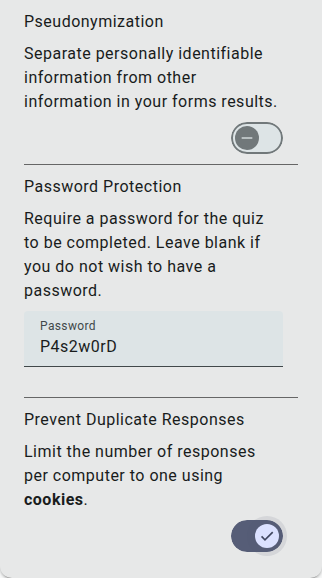
Turn the same setting off to allow repeat responses again.
Understand the limits
Section titled “Understand the limits”This is a browser-cookie check, so it does not guarantee one response per person or computer:
- Someone can use another browser, browser profile or device.
- Clearing cookies or using a private browsing session can prevent the earlier cookie from being recognised.
- People sharing the same browser can be treated as having already responded.
Previewing the form does not apply duplicate protection. A tracked invitation that allows editing after completion can also let the respondent return to their existing response.