
How to Make a Question Required
Making a question required means that respondents will have to answer that question before they can finish the survey/ quiz/ form.
Most questions aren’t required by default, but this option can be toggled through the Question Settings Bar for each individual question.
Making a Question Required
Section titled “Making a Question Required”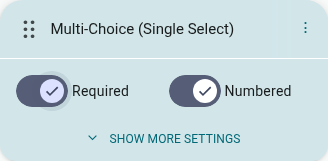
- Go to the Builder
- Click the question you want to make required, in the Questions tab’s page list
- Toggle ‘Required’ on in the Question Settings Bar that expands underneath it
A small asterisk appears next to the question in the canvas once it’s required.
Note: The required status of a question is always visible in the Question Settings Bar for the selected question. The toggle is filled in (checked) for required questions and empty for those that aren’t.