
Conditional Display
Conditional display lets you show or hide a question or page based on answers a respondent has already given. It is useful when a follow-up is relevant only to part of your audience — for example, asking attendees about product strategy only when they chose that workshop track.
Conditional display works alongside Page Logic and Question Logic:
- Conditional display controls what is visible on the current page.
- Page Logic and Question Logic control which page the respondent goes to next.
Add a display condition
Section titled “Add a display condition”-
Put the source question before the question or page you want to show or hide. Sources must come earlier in the form.
-
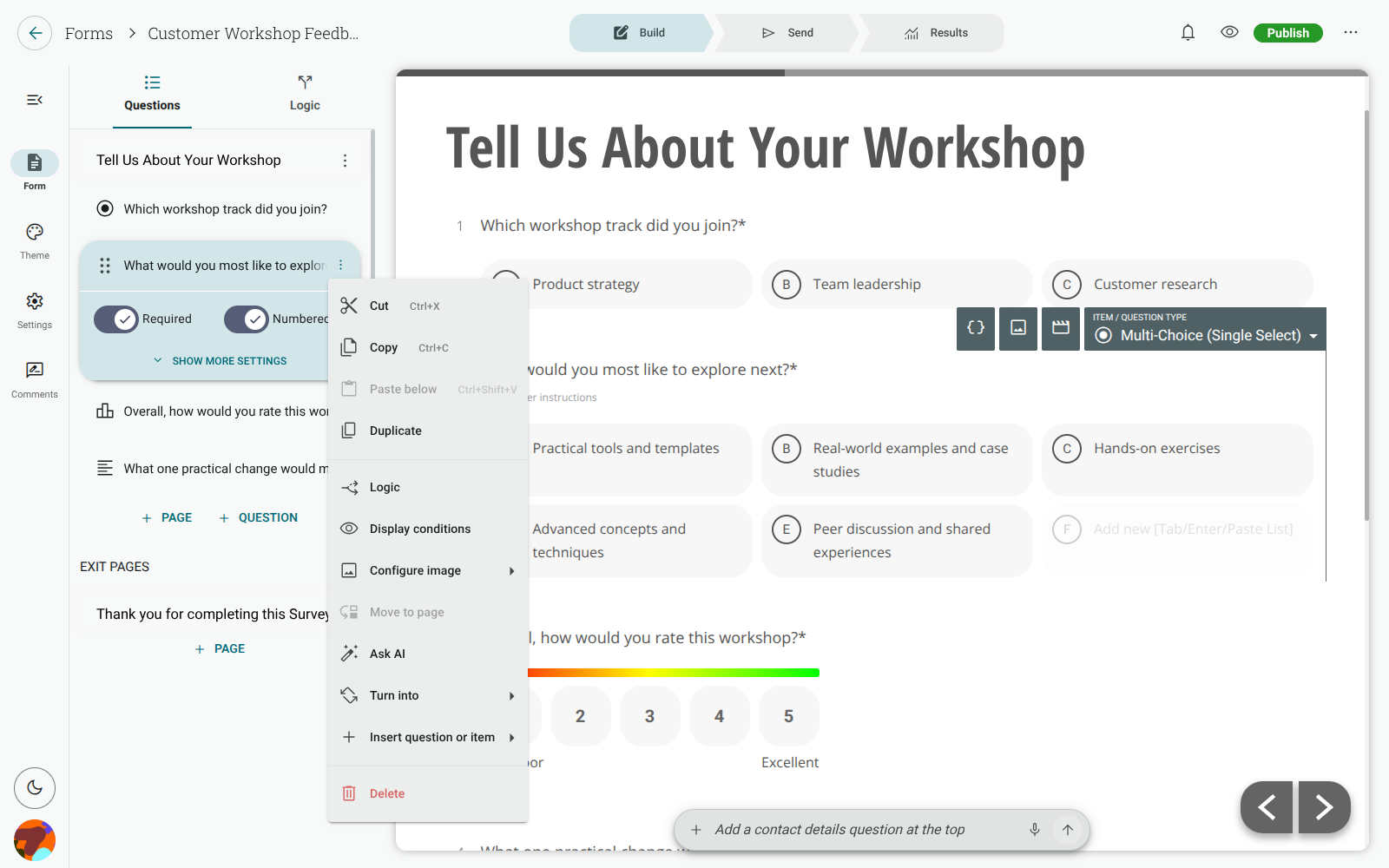
Open the ⋮ menu beside the target question or page.
-
Select Display conditions.
-
Choose Show or Hide.
-
Choose the earlier question to use as the source.
-
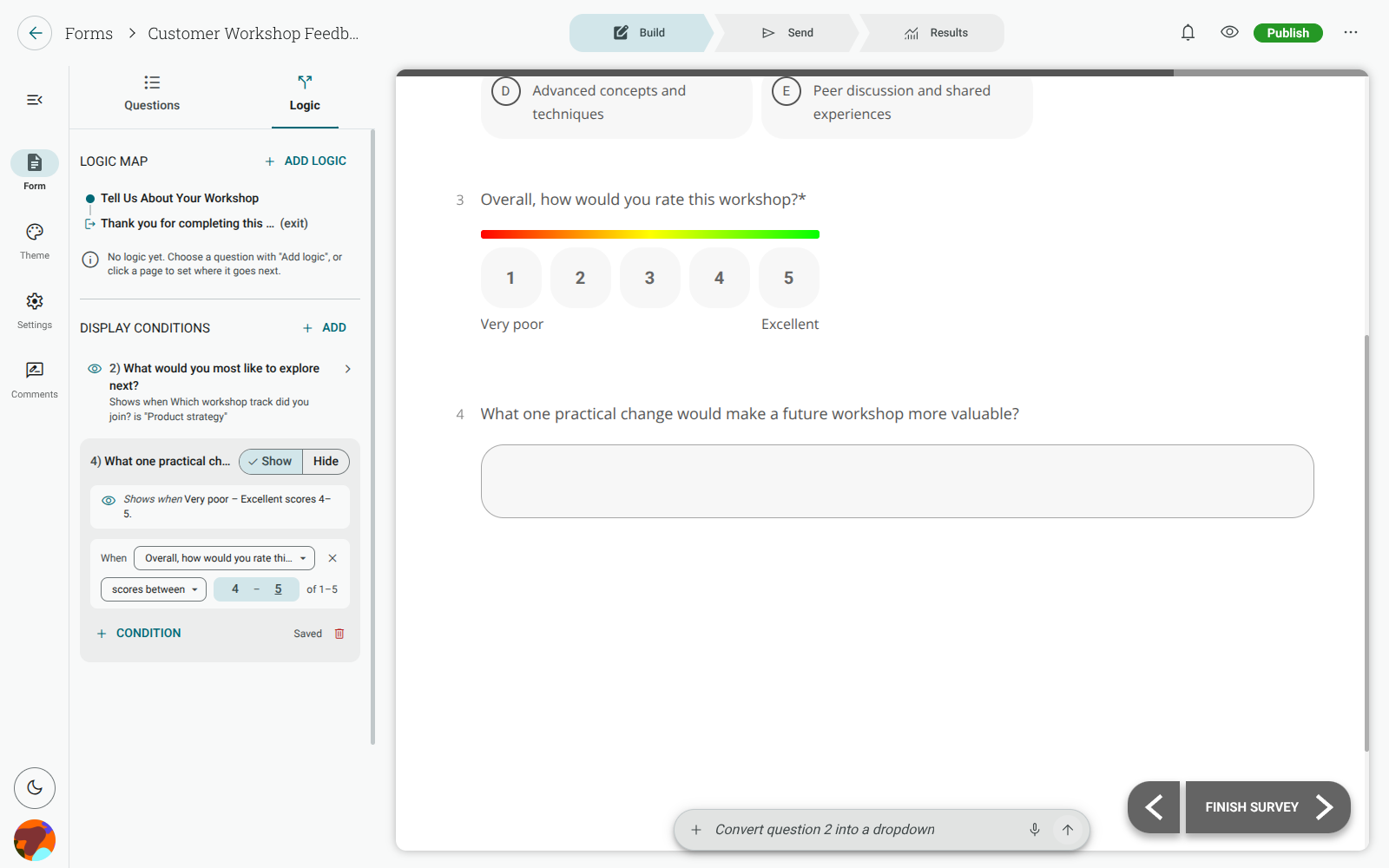
Choose an operator, then choose the answer options or score range that should trigger the rule.
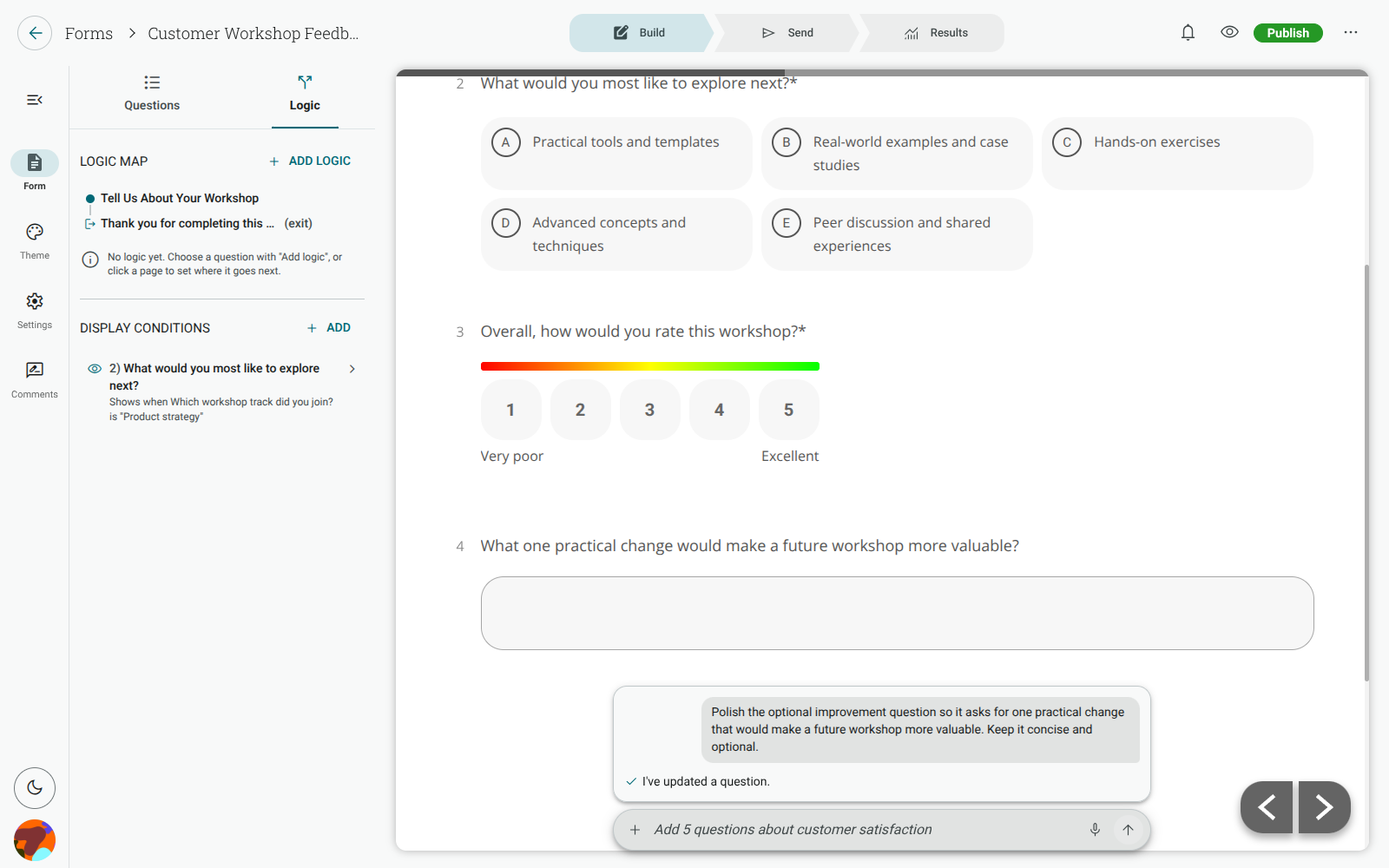
Changes save automatically. The editor also shows the rule as a sentence, so you can check that it reads the way you intended.
Choose how the rule matches
Section titled “Choose how the rule matches”Add another Condition when a target depends on more than one answer. When there are multiple conditions, choose whether to match:
- all conditions — every condition must be true;
- any condition — at least one condition must be true.
An unfinished condition is marked as incomplete and is not saved as an active rule. Remove it or finish choosing its options before relying on the target being conditional.
Available sources and operators
Section titled “Available sources and operators”You can use these question types as sources:
- Multi-Choice (Single Select), Dropdown and Binary questions;
- Multi-Choice (Multi Select) and Multiselect Dropdown questions;
- Star Rating, Opinion Scale, Opinion Slider, Multi-Factor Scale, Multi-Factor Opinion Slider and NPS questions;
- Matrix questions.
Text, date and other question types cannot currently be used as display-condition sources.
For choice questions, the available operators depend on the question type:
- Single-choice sources can is or is not one of the options.
- Multiple-choice sources can have any, all or none of the selected options.
- Any supported source can be tested for is answered or is not answered.
Rating and scale questions use an inclusive scores between range. If the source has multiple rows, select the row first. Matrix conditions use a row when needed and then one or more of the Matrix’s scale columns.
What respondents see
Section titled “What respondents see”Display conditions are recalculated as respondents answer the form. A hidden required question does not prevent them from continuing. If a respondent changes an earlier answer and a follow-up becomes hidden, its answer is cleared. If the follow-up appears again later, it starts unanswered rather than restoring the previous answer.
Conditional display does not send respondents to another page. Use skip logic when you need to route them to a different page, an information request, a qualification outcome or an Exit page.
Important limitations
Section titled “Important limitations”- A question can use only an earlier question as its source. A page can depend only on questions on earlier pages.
- A Question Page can be conditional when its contents support conditional display. Exit pages and pages containing protected items such as Payment, File Upload, Signature, Restart, Hidden or Consent cannot be conditional.
- If you move a target before its source, or change or remove a source option, review the affected conditions in the Logic tab.
For signing forms, see Show or hide sections in a signing form.